Giving your documents a well-designed, professional look will put you a step ahead in the marketplace cluttered with all kinds of communications. Paragraph and character styles that allow you to format pages of text uniformly, layout features that help you to build alternate size configurations of your document, and various panels that enable you to easily customize both text and graphics; Adobe® InDesign® has all the tools you need to elevate the look of your document and get it out to the people who need to see it, whether it be in print or on the web.

Adobe InDesign CC: Part 1

Gain insight into a topic and learn the fundamentals.
1 week to complete
at 10 hours a week
Flexible schedule
Learn at your own pace
What you'll learn
In this course, you will use Adobe InDesign to create and deliver professional-looking printed and interactive documents.
Skills you'll gain
Details to know

Shareable certificate
Add to your LinkedIn profile
Recently updated!
December 2025
Assessments
1 assignment
Taught in English
See how employees at top companies are mastering in-demand skills

There are 7 modules in this course
There's a lot to discover in a design tool this robust. It's best to get familiar with the basic interface and configure Adobe® InDesign® to your needs before you dive in to creating documents.
What's included
1 reading7 plugins
The tools are in front of you. It's time to start building a document and adding text and graphics. In this lesson, you will design a document.
What's included
8 plugins
You've created the basic elements of a document by adding text and graphics, but there are so many more details you can add to really set your document apart. In this lesson, you will customize a document.
What's included
6 plugins
You've learned to create a document that contains formatted text and graphics. You've also introduced colors and gradients for visual interest and developed styles to apply throughout the document. Now it's time to investigate the other tools that Adobe® InDesign® offers to further enhance documents and aid in your work flow.
What's included
8 plugins
When working with documents that contain large amounts of text, consider using tables to organize and properly display the information. Adobe® InDesign® provides a robust table feature that enables you to configure and customize just about any type of table. In this lesson, you will build a table.
What's included
5 plugins
Creating a good looking document is not enough. Now you need to make the final preparations for delivering it to its intended audience. There are many things to consider in making these preparations, and Adobe® InDesign® has you covered for every scenario. In this lesson, you will prepare a document for delivery.
What's included
5 plugins
You'll wrap things up and then validate what you've learned in this course by taking an assessment.
What's included
1 assignment2 plugins
Instructor

Offered by


Explore more from Design and Product
 Status: Preview
Logical Operations
 Status: Free Trial
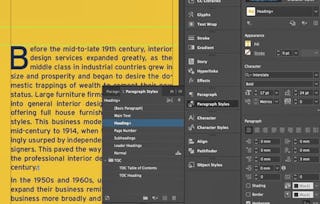 Status: Free Trial
Why people choose Coursera for their career

Felipe M.
Learner since 2018
"To be able to take courses at my own pace and rhythm has been an amazing experience. I can learn whenever it fits my schedule and mood."

Jennifer J.
Learner since 2020
"I directly applied the concepts and skills I learned from my courses to an exciting new project at work."

Larry W.
Learner since 2021
"When I need courses on topics that my university doesn't offer, Coursera is one of the best places to go."

Chaitanya A.
"Learning isn't just about being better at your job: it's so much more than that. Coursera allows me to learn without limits."

Open new doors with Coursera Plus
Unlimited access to 10,000+ world-class courses, hands-on projects, and job-ready certificate programs - all included in your subscription
Advance your career with an online degree
Earn a degree from world-class universities - 100% online
Join over 3,400 global companies that choose Coursera for Business
Upskill your employees to excel in the digital economy
Frequently asked questions
To access the course materials, assignments and to earn a Certificate, you will need to purchase the Certificate experience when you enroll in a course. You can try a Free Trial instead, or apply for Financial Aid. The course may offer 'Full Course, No Certificate' instead. This option lets you see all course materials, submit required assessments, and get a final grade. This also means that you will not be able to purchase a Certificate experience.
When you purchase a Certificate you get access to all course materials, including graded assignments. Upon completing the course, your electronic Certificate will be added to your Accomplishments page - from there, you can print your Certificate or add it to your LinkedIn profile.
Yes. In select learning programs, you can apply for financial aid or a scholarship if you can’t afford the enrollment fee. If fin aid or scholarship is available for your learning program selection, you’ll find a link to apply on the description page.
More questions
Financial aid available,